- Home Page /
- Electronics /
- Computers, Laptops and Tablets /
- Computer Software for Home & Office /
- Photo, Video & Music Editing Software /
- Video Conversion Suite (pc&mac) By Vidbox©
0 ratings




Item #:
30827973
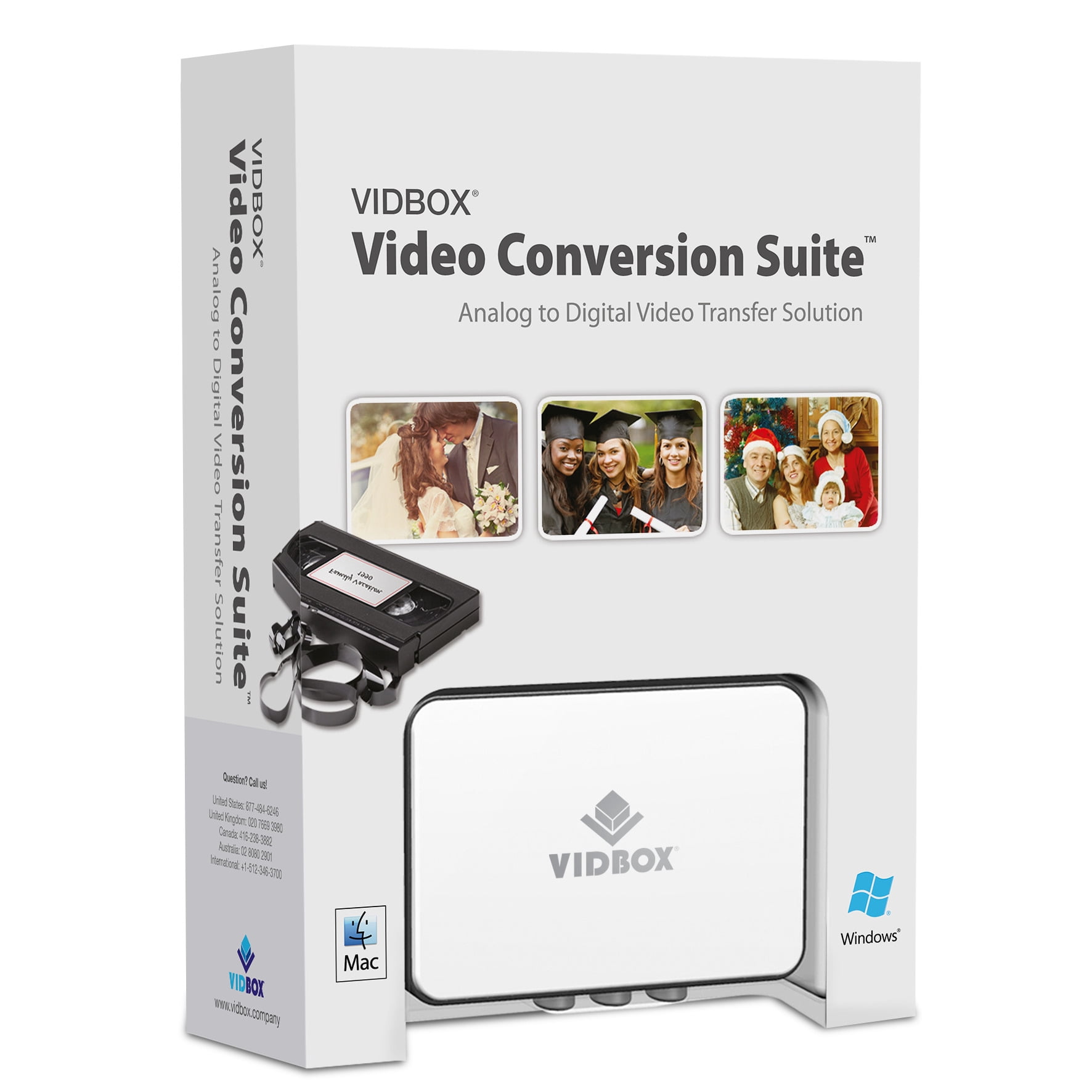
Video Conversion Suite (pc&mac) By Vidbox©
89% of respondents would recommend this to a friend
Item #:
30827973
NZD 176
Price Details
Excluding Shipping & Custom charges ( Shipping and custom charges will be calculated on checkout )
*All items will import from US
Afterpay Information

Split your bill into 4 payments of NZD 44 interest-free
 Add the item to your cart
 Select Afterpay at checkout
 Fill in your details
 Complete your first payment
and pay the remaining in easy instalments or according to the payment plan you selected
Here’s why you should Afterpay it

Get everything you need now..
Shop thousands of brands and millions of products, online and in-store.

Pay over six weeks.
Make the first payment upfront and the rest over time. Always interest-free when you pay it in 4.

No fees when you pay on time.
We’ll send you reminders and cap late payments to help you get back on track.
(1) Terms and conditions. apply. (2) Installment Agreement. (3) Eligible for customers in. New Zealand, (4) Your final payment plan may vary depending on your credit history.
0 ratings
Write a review
In stock
 Imported from USA store
QTY:
Only 12 items left in stock.
Order now and get it around Monday, November 09
Secured transaction
Ubuy works hard to protect your security and privacy. Our advanced payment security system ensures confidentiality by encrypting your information during transmission using AES (Advanced Encryption Standards) and SSL (Secure Socket Layer) protocols. Your payment details are 100% secure as we do not share your payment details with third party sellers.
Our Top Logistics Partners


Capture old VHS, Beta, 8 mm or camcorder tapes and convert them to DVD or other digital formats

Buy Now Pay Later

Fast
Shipping

Free
Return*

Secure Packaging

100% Original Products

PCI DSS Compliance

ISO 27001 Certified




Note: Step Down Voltage Transformer required for using electronics products of US store (110-120). Recommended power converters Buy Now.


What Stands Out
Cross-Platform Support
Vidbox's video conversion suite works seamlessly on both PC and Mac, ensuring accessibility for a wider audience, allowing users to convert videos regardless of their preferred operating system.
User-Friendly Interface
The intuitive interface simplifies the video conversion process, enabling users of all skill levels to easily navigate and complete conversions without requiring technical expertise.
High-Quality Output
Offering superior video quality after conversion, Vidbox ensures that users maintain the integrity of their media, providing exceptional results for personal and professional use alike.
Product Details
- Video Conversion Suite for PC & Mac
- Easily convert videos to digital formats
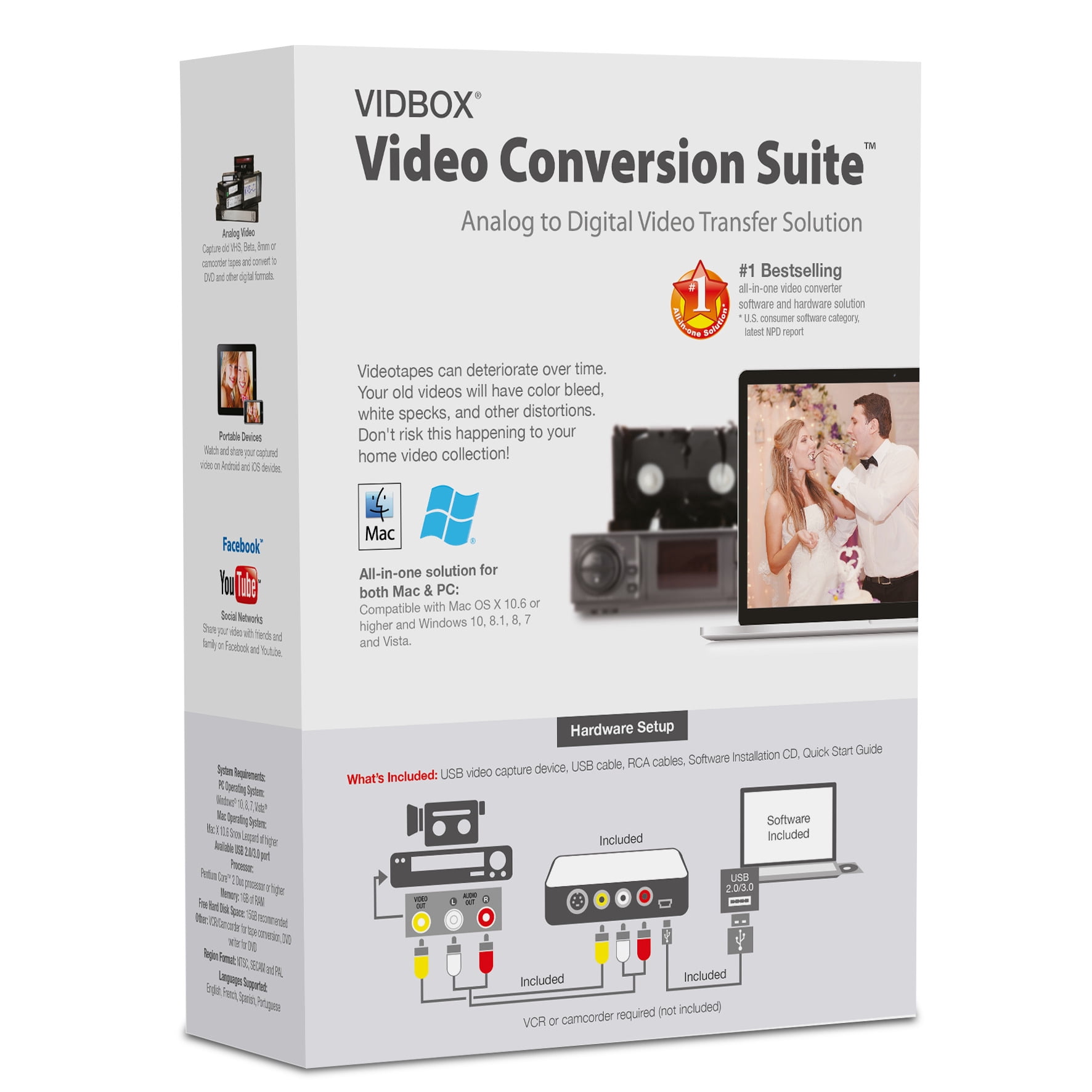
- Includes USB video capture device, USB cable, and RCA AV cable
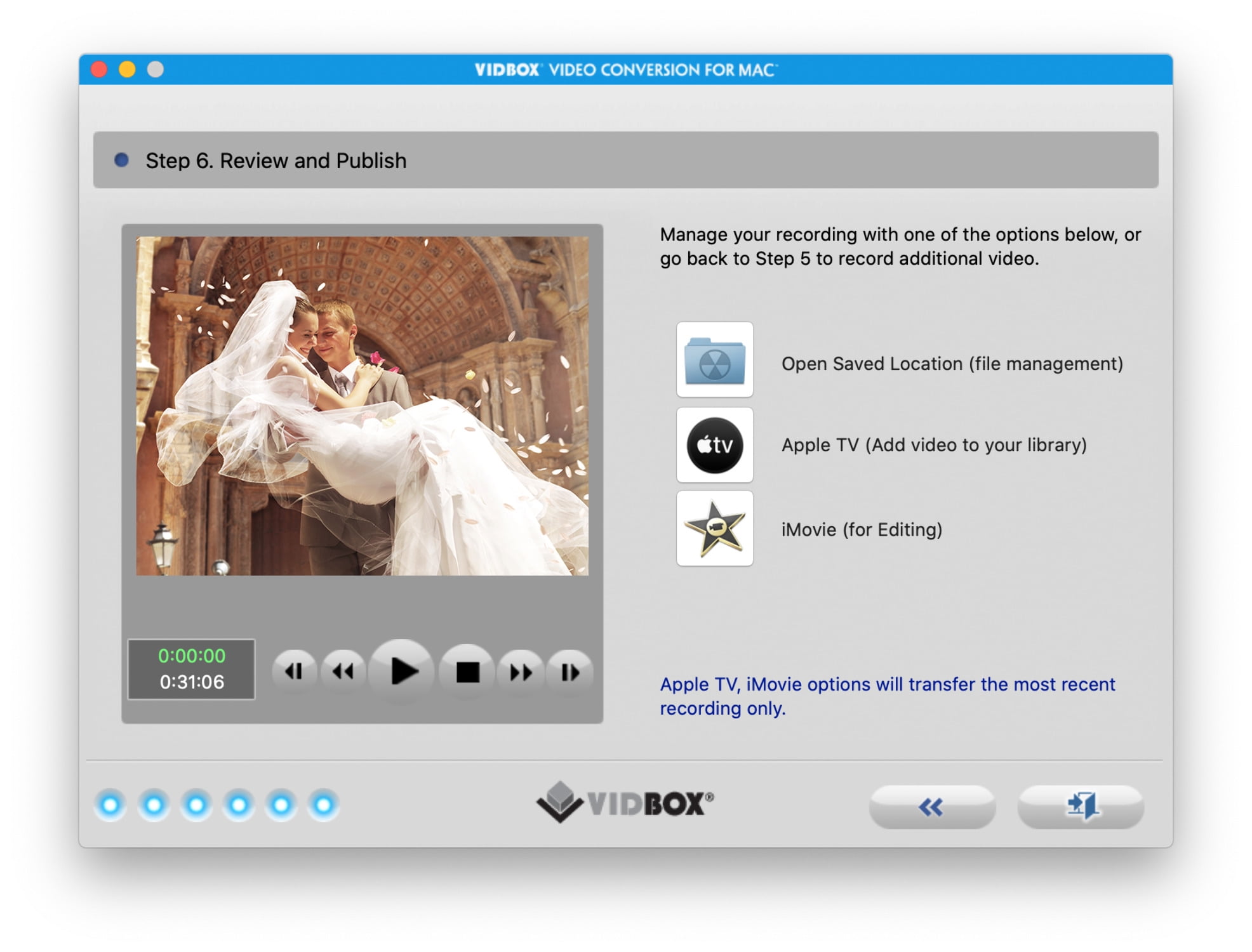
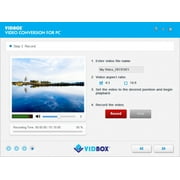
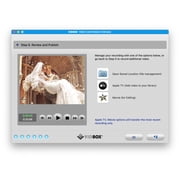
- Step-by-step instructions for novice users
- Compatible with VCRs, camcorders, DVD players, and game consoles
- Supports NTSC, SECAM, and PAL video standards
| Computer Software Type | Image, Video & Audio Software |
| Operating System | Windows 10/11 |
| Brand | VIDBOX |
| Number of Users | 2 |
| Product Line | Video Conversion Suite |
| Model | VIPRB-Video Conversion Suite (PC) |
| Required Peripherals | USB video capture device, USB cable, RCA AV cable |
| Languages Supported | English, Portuguese |
| Manufacturer | VIDBOX |
| Has Written Warranty | No |
| Item Weight | 1.5 lbs (680 grams) |
Who Should Buy?

-
Video Enthusiasts
Ideal for hobbyists who frequently convert and edit various video formats for personal projects and sharing.
-
Home Users
Great for families needing to convert old home videos into digital formats for easier storage and viewing.
-
Educational Purposes
Useful for teachers and students who need to convert videos for presentations or class projects across platforms.

-
Professional Editors
Not suitable for professional video editors requiring advanced features and functionalities beyond simple conversion.
Product Description
Have any Query? Chat with us
Product Buying Guide
The VIDBOX Video Conversion Suite is an all-in-one solution for converting videos to digital formats, supporting both Windows PC and Mac. This product includes a USB video capture device, software download card, USB cable, RCA AV cable, and quick start guide. It is designed for users with VCR/camcorder tapes who want to preserve their videos by converting them to DVD or digital files. The system requirements include Windows 10/11 or macOS 10.12 or higher, an available USB 2.0 or 3.0 port, Intel Core i5 or higher processor, 4GB of RAM, and 15GB of recommended free hard disk space. The supported video standards are NTSC, SECAM, and PAL, with output formats including MPEG2, DVD, and MP4 for PC, and MP4 for Mac. The product also supports multiple languages such as English, French, Spanish, Portuguese, and Korean.
Key Features
- Step-by-step pictorial instructions for novice users
- Support for VCR (VHS, Betamax, S-VHS), camcorder (8mm, DV, mini DV, HDV, AVCHD), DVD player, game console, and more
- Includes two software download cards for Windows and Mac
Usage Scenarios
- Capture and convert old VHS, Beta, 8 mm, or camcorder tapes to DVD or digital formats
- Suitable for use with various video players including VCR, camcorder, TV, DVD player, and game console
Some User Review
- The VIDBOX Video Conversion Suite made it incredibly easy for me to convert my old VHS tapes to digital formats. The step-by-step guide was very helpful, and the software worked seamlessly on my Windows PC.
Buying Considerations
- Ensure that the product's system requirements align with your PC or Mac specifications
- Consider the need for any additional cables based on the compatibility of your existing video players
- Verify the activation process for the software download cards included in the package
Conclusion
The VIDBOX Video Conversion Suite offers an efficient solution for converting old VHS, Beta, 8 mm, or camcorder tapes to modern digital formats. With its easy-to-follow process and wide compatibility, it caters to users looking to preserve their cherished home videos while ensuring high-quality conversion results.
View LessThe VIDBOX Video Conversion Suite is an all-in-one solution for converting videos to digital formats, supporting both Windows PC and Mac. This product includes a USB video capture device, software download card, USB cable, RCA AV cable, and quick start guide. It is designed for users with VCR/camcorder tapes who want to preserve their videos by converting them to DVD or digital files. The system requirements include Windows 10/11 or macOS 10.12 or higher, an available USB 2.0 or 3.0 port, Intel Core i5 or higher processor, 4GB of RAM, and 15GB of recommended free hard disk space. The supported video standards are NTSC, SECAM, and PAL, with output formats including MPEG2, DVD, and MP4 for PC, and MP4 for Mac. The product also supports multiple languages such as English, French, Spanish, Portuguese, and Korean. Continue Reading
Customer Questions & Answers
-
Question:
How to Shop Video Conversion Suite (pc&mac) By Vidbox© Online From Ubuy?
Answer: It’s easy to shop Video Conversion Suite (pc&mac) By Vidbox© online from Ubuy. You just have to search for the product, choose your shipping method while checking out and get it delivered to your location. -
Question:
Is Video Conversion Suite (pc&mac) By Vidbox© Available to Shop Online in New Zealand?
Answer: Yes, at Ubuy New Zealand this product is available for you to shop at a reasonable price. The Video Conversion Suite (pc&mac) By Vidbox© is not available locally but you can trust us with our express shipping services. -
Question:
How Long Does It Take to Get Product After Placing the Order?
Answer: The delivery time of your ordered product varies as per what you've ordered and the shipping method that you've chosen. The estimated delivery time is mentioned during the checkout process, so be carefree while shopping.
VIDBOX Photo, Video & Music Editing Software Editorial Review
VIDEO CONVERSION SUITE (PC&MAC) BY VIDBOX© is an effective tool for transforming your analog media into digital formats, making it ideal for those looking to preserve old videos. Users have noted its ease of use, and the software fits well within the system requirements of Windows 10/11, although some users found the initial setup process a bit tricky on Mac systems. The suite supports multiple languages and can accommodate two users, which adds flexibility for family projects or collaborative work. When combined with the required peripherals, it offers a comprehensive DIY video conversion solution.
Customer Reviews & Ratings
1 customers ratings
-
5 Star
100%
-
4 Star
0%
-
3 Star
0%
-
2 Star
0%
-
1 Star
0%
Review this product
Share your thoughts with other customers
Pros
- Easy to use for DIY video conversion
- Supports both PC and Mac environments
- Multiple language options available
- Ideal for preserving old VHS tapes
- Accommodates two users effectively
Cons
- Initial setup can be tricky for Mac users
Platform Trust & Buyer Confidence

NR
Niccole
Verified buyer
“Great service tracking was provided as soon as it shipped it works well and is as pictured”
23 September 2026 · via Trustpilot
SW
Shelly
Verified buyer
“This was the first time I used Ubuy and I was very happy to find the products I wanted that weren’t available in NZ but through Ubuy I was able to purchase them and have them sent to me. They arrived within a reasonable time. I would definitely use Ubuy again.”
02 October 2026 · via Trustpilot
S
Simon
Verified buyer
“The product arrived promptly in good order well packaged”
04 October 2026 · via Trustpilot
CD
CP Dahiroc
Verified buyer
“Great service quick delivery. The platform clog is fab it looks great on my feet”
05 October 2026 · via Trustpilot
MN
Mantas
Verified buyer
“Fast and easy service”
07 Oct 2026 · via Trustpilot
WHY SHOP WITH US
Secure Checkout
Global Delivery
Easy Returns
Genuine Products
Product Price History
Important information
- Limitations : For products shipped internationally, please note that any manufacturer warranty may not be valid; manufacturer service options may not be available; product manuals, instructions, and safety warnings may not be in destination country languages; the products (and accompanying materials) may not be designed in accordance with destination country standards, specifications, and labeling requirements; and the products may not conform to destination country voltage and other electrical standards (requiring use of an adapter or converter if appropriate). The recipient is responsible for assuring that the product can be lawfully imported to the destination country. When ordering from Ubuy or its affiliates, the recipient is the importer of record and must comply with all laws and regulations of the destination country.
- Not all the products listed on Ubuy are for sale, as Ubuy is a global search engine. Products are subject to export/trade regulations.
NZD 176
Order now and get it around Monday, November 09
This item is not restrict in my country.(Please click on above link if this item is not restrict in your country, So our team will review and allow.)
QTY:
Only 12 items left in stock.
Secured transaction
PCI DSS compliant and ISO 27001:2022 certified, with encrypted payments and full buyer protection on every order.
Our Top Logistics Partners
Fastest cross-border delivery
Features & Benefits
- Capture old VHS, Beta, 8 mm or camcorder tapes
- Convert videos to DVD or other digital formats
- Includes USB video capture device, USB cable, RCA AV cable
- Step-by-step pictorial instructions guide
- Compatible with Windows PC and Mac
- Supports various video players: VCR, camcorder, DVD player, game console
Ubuy Assurance
Experience worry-free shopping with 100% original products, PCI DSS-compliant payment security, ISO 27001-certified data protection, the fastest cross-border delivery, free returns *, and secure packaging on every order.