- Home Page /
- Electronics /
- Computers, Laptops and Tablets /
- Computer Accessories /
- Drawing Tablets /
- UGEE M708 10 x 6 Graphics Drawing Tablet, 819...
0 ratings

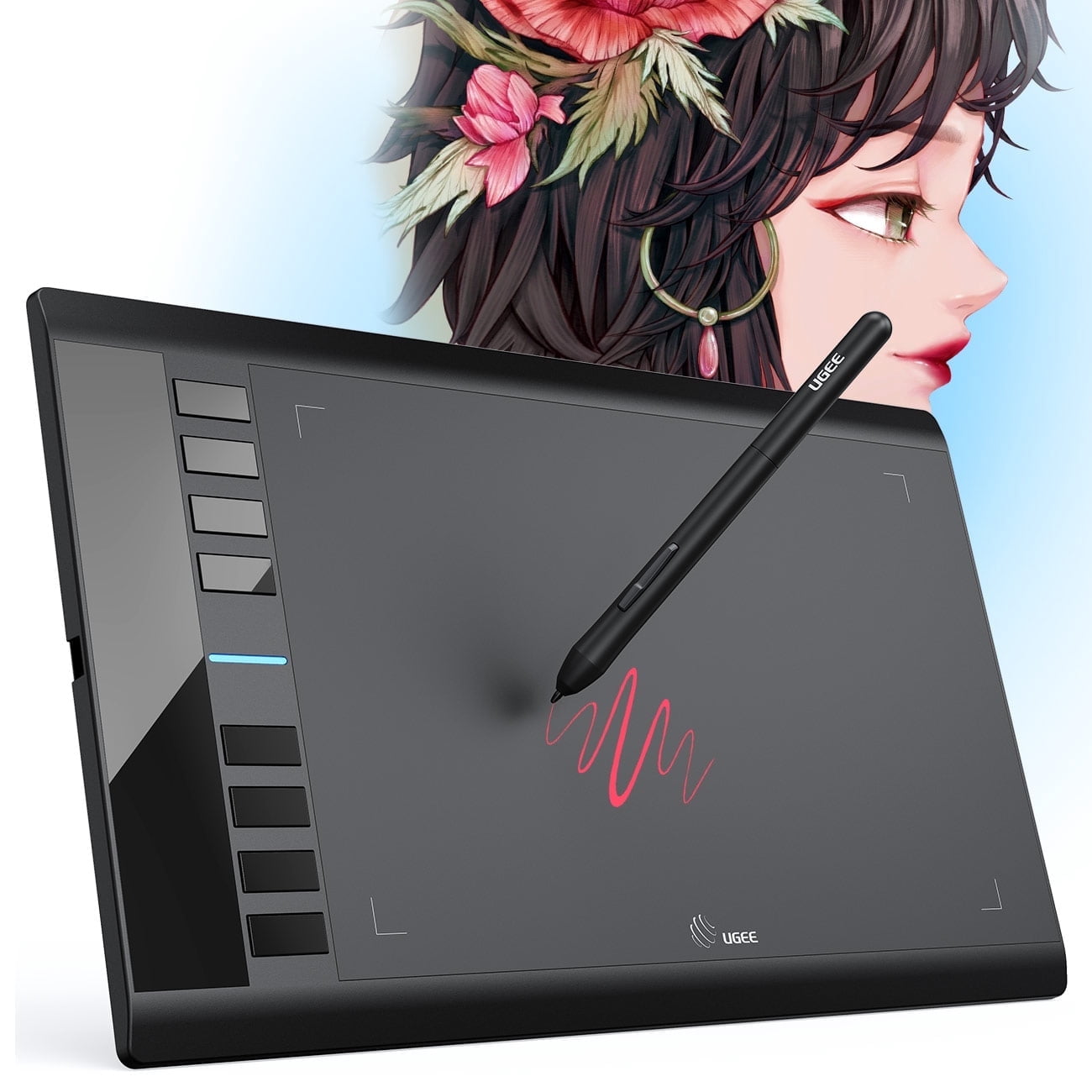
The upgraded M708 V3 drawing tablet offers broad compatibility, supporting Chromebook, Windows 11/10/8/7, and Mac OS 10.10 or above. Its driver program seamlessly integrates with a wide range of creative applications, including well-known software like Photoshop, Illustrator, Fireworks, Macromedia Flash, Corel Painter, Comic Studio, SAI, Infinite Stratos, 3D MAX, Sketchbook, and more. With 8192 levels of pressure sensitivity and a pen resolution of 5080 LPI, it ensures precise and lag-free drawing experience. Additionally, the tablet features 8 programmable shortcut keys that enhance work efficiency and optimize workflow. Whether you're a beginner or a professional, this drawing tablet is a perfect choice for starting the journey of digital art.
Item #:
78479622
UGEE M708 10 x 6 Graphics Drawing Tablet, 8192 Pressure Sensitivity, Black
Item #:
78479622
NZD 120
Price Details
Excluding Shipping & Custom charges ( Shipping and custom charges will be calculated on checkout )
*All items will import from US
0 ratings
Write a review
Out of stock
 Imported from USA store
Secured transaction
Ubuy works hard to protect your security and privacy. Our advanced payment security system ensures confidentiality by encrypting your information during transmission using AES (Advanced Encryption Standards) and SSL (Secure Socket Layer) protocols. Your payment details are 100% secure as we do not share your payment details with third party sellers.
Our Top Logistics Partners


The upgraded M708 V3 drawing tablet offers broad compatibility, supporting Chromebook, Windows 11/10/8/7, and Mac OS 10.10 or above. Its driver program seamlessly integrates with a wide range of creative applications, including well-known software like Photoshop, Illustrator, Fireworks, Macromedia Flash, Corel Painter, Comic Studio, SAI, Infinite Stratos, 3D MAX, Sketchbook, and more. With 8192 levels of pressure sensitivity and a pen resolution of 5080 LPI, it ensures precise and lag-free drawing experience. Additionally, the tablet features 8 programmable shortcut keys that enhance work efficiency and optimize workflow. Whether you're a beginner or a professional, this drawing tablet is a perfect choice for starting the journey of digital art.

Buy Now Pay Later

Fast
Shipping

Free
Return*

Secure Packaging

100% Original Products

PCI DSS Compliance

ISO 27001 Certified


Note: Step Down Voltage Transformer required for using electronics products of US store (110-120). Recommended power converters Buy Now.


What Stands Out
High Pressure Sensitivity
With 8192 levels of pressure sensitivity, the UGEE M708 offers exceptional precision, ensuring that every stroke and detail is captured accurately for a natural drawing experience.
Large Drawing Area
The 10 x 6 inch surface provides ample space for creativity, allowing artists to work comfortably on larger pieces without feeling restricted.
Affordable Option
The UGEE M708 combines advanced features at a budget-friendly price, making it an ideal choice for aspiring artists and professionals looking for quality without breaking the bank.
Product Details
Who Should Buy?

-
Beginner Artists
Ideal for beginners entering digital art with an affordable tablet that supports essential functionalities and pressure sensitivity.
-
Graphic Designers
A practical choice for graphic designers needing a reliable device for illustrations, illustrations, and digital editing tasks.
-
Students
Perfect for art students who require a portable, cost-effective drawing tablet for classes and personal projects.

-
Professional Illustrators
May lack some advanced features and precision required by professional illustrators who demand high-end performance.
-
Heavy Users
Not suitable for extensive use as build quality may not withstand daily rigorous drawing or design tasks.
-
Gamers
Not intended for gaming purposes, such as competitive play, where specialized gaming devices offer enhanced performance.
Product Description
UGEE M708 10 x 6 Graphics Drawing Tablet, 8192 Pressure Sensitivity, Black
Have any Query? Chat with us
Customer Questions & Answers
-
Question:
Does the tablet require a battery for the pen?
Answer: No, the lightweight passive stylus does not require a battery or charging. -
Question:
What is the warranty and support provided for this tablet?
Answer: UGEE provides a one-year warranty and lifetime technical support for all its products. -
Question:
Can the tablet be used with a Chromebook?
Answer: Yes, the tablet is compatible with Chromebook, as well as Windows and Mac systems.
UGEE Drawing Tablets Editorial Review
The graphics tablet in question seems to have received generally positive feedback from customers. Many users found that it made drawing on their laptops much easier than before, as it provided a more natural feeling compared to using a trackpad or mouse. While some noted that it still wasn't completely smooth, it was still Considered a significant improvement. Customers who were new to graphics tablets expressed satisfaction with their purchase. They found the tablet easy to set up and were pleased with its performance. The price was also deemed reasonable, adding to the overall positive experience. There was a slight learning curve when it came to drawing on the tablet while the image appeared on the monitor. However, users found that the tablet had good sensitivity and was easy to use once they became accustomed to it. The tablet was noted to be large in size but worked perfectly with MacOS. Some users mentioned that there was a requirement to download the manufacturer's software, but once installed, it allowed for immediate use. In terms of packaging and delivery, customers reported that the tablet was well-packed and arrived in good condition. Connecting it to their computers was not a problem. Overall, the general Consensus was that this graphics tablet is an excellent choice, particularly for beginners. While there might be a short adjustment period, the tablet's performance and ease of use make it a great option for anyone looking to venture into graphic design.
Customer Reviews & Ratings
1 customers ratings
-
5 Star
100%
-
4 Star
0%
-
3 Star
0%
-
2 Star
0%
-
1 Star
0%
Review this product
Share your thoughts with other customers
Pros
- Makes drawing on laptops easier and more natural
- Good sensitivity and easy to use
- Reasonable price
- Quick and easy setup
- Works well with MacOS
Cons
- Slight learning curve in drawing on the tablet while the image appears on the monitor
Product Price History
Important information
- Limitations : For products shipped internationally, please note that any manufacturer warranty may not be valid; manufacturer service options may not be available; product manuals, instructions, and safety warnings may not be in destination country languages; the products (and accompanying materials) may not be designed in accordance with destination country standards, specifications, and labeling requirements; and the products may not conform to destination country voltage and other electrical standards (requiring use of an adapter or converter if appropriate). The recipient is responsible for assuring that the product can be lawfully imported to the destination country. When ordering from Ubuy or its affiliates, the recipient is the importer of record and must comply with all laws and regulations of the destination country.
- Not all the products listed on Ubuy are for sale, as Ubuy is a global search engine. Products are subject to export/trade regulations.
NZD 120
Currently unavailable.
We don't know when or if this item will be back in stock.
This item is not restrict in my country.(Please click on above link if this item is not restrict in your country, So our team will review and allow.)
Secured transaction
Ubuy works hard to protect your security and privacy. Our advanced payment security system ensures confidentiality by encrypting your information during transmission using AES (Advanced Encryption Standards) and SSL (Secure Socket Layer) protocols. Your payment details are 100% secure as we do not share your payment details with third party sellers.
Our Top Logistics Partners
Fastest cross-border delivery
Features & Benefits
- Broad compatibility with Chromebook, Windows, and Mac
- Seamless integration with popular creative software
- 8192 levels of pressure sensitivity for precise drawing
- 10 x 6 inch working area for comfortable digital artwork creation
- 8 programmable shortcut keys for improved efficiency
- Ideal choice for beginners and professionals alike